BETTER REFERENCE EXPLORER
Overview
Better Reference Explorer helps you uncover asset references and dependencies in a smarter way, including the exact property chains that connect them.
- Search and find references through components, sub-objects, graphs (Blueprints, Behavior Trees, Materials...), User Defined Structs and Enums, GameplayTags, Data Tables, State Trees...
- Full support of Blueprint, Anim Blueprint, Behavior Tree, Material and Niagara graphs: locate the exact graph, node, and pin that creates a reference, then jump straight to it.
- Supports C++ classes: right-click on any C++ class and find other classes and Blueprint assets that inherit from it.
- Find references not listed by the built-in Reference Viewer: C++ Parent Class, or Blueprint local variables referencing GameplayTags.
- Inspect the first property chain or all property chains between assets.
- No caching or indexing: start using the plugin as soon as it’s installed.
Supports all Unreal Engine versions from 5.0.
Usage
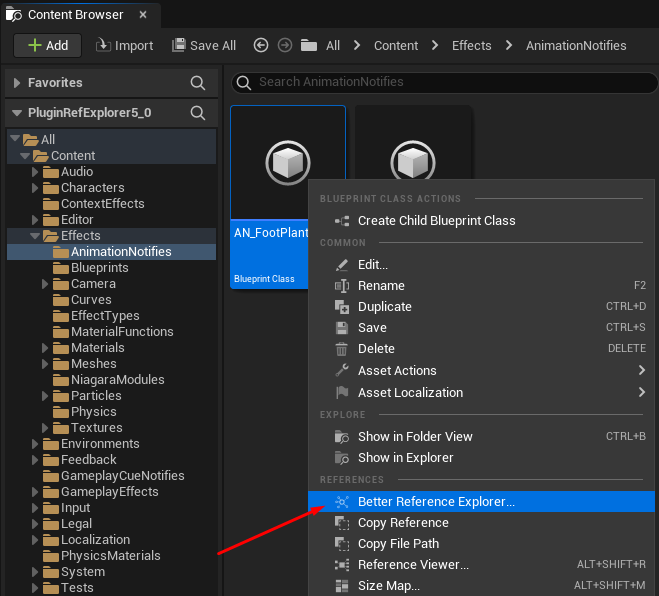
Right-click any asset in the Content Browser and open “Better Reference Explorer” to trace references with precision.
It works for all types of assets, even C++ classes.
How does it work?
When exploring a selected asset with Better Reference Explorer, the plugin uses the same data as Unreal’s built-in Reference Viewer to retrieve the list of referencers and dependencies. It then loads the selected asset and its referencer assets, and inspects their serialized properties to find the property chains linking:
- the referencers to the selected asset
- the selected asset to its dependencies
Depending on the number and complexity of these assets, loading can take a few seconds. To work around this, you can skip the property chain search to get instant results, and manually resolve property chains later for the dependencies you care about.
The plugin can also reveal additional dependencies during exploration, such as Blueprint local variables that reference GameplayTags.
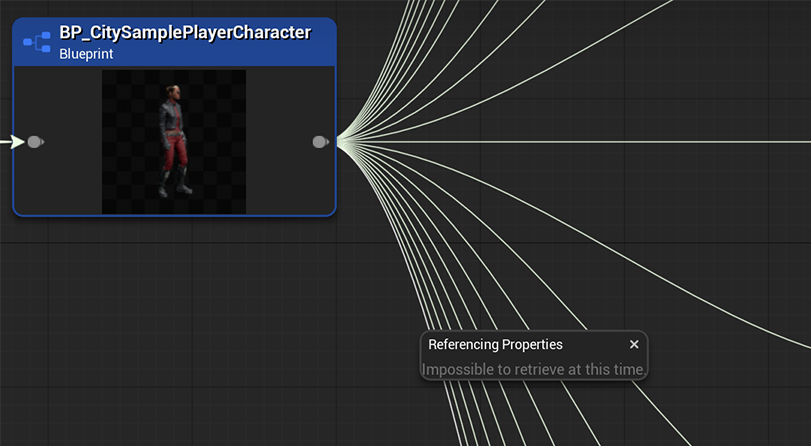
Recent Unreal Engine versions include a “Resolve Referencing Properties” option in the built-in Reference Viewer, but it often fails or returns unhelpful information.
Interface
Here is the window of the Better Reference Explorer plugin when checking references on an asset:

The results appear as 2 tables:
- On the left, the list of referencers (assets with references to the current asset)
- On the right, the list of dependencies (assets to which the current asset has references)
Main buttons
- Navigate to previous file
- Refresh current file
- Navigate to next file
- Browse to current asset
- Edit current asset
- Open plugin's info

Search options
- Hard References: Toggles visibility of Hard References.
- Soft References: Toggles visibility of Soft References.
- Editor Only References: UsedInGame, Build, and EditorOnly references are displayed. EditorOnly references do not cause the dependencies to be cooked and do not propagate management assignments. Use this mode to see how assets interact in the editor.
- Name References: Toggles visibility of Name References (i.e. Gameplay Tags and Data Table Row Handles).
- C++ Classes: Search for C++ Class assets (could be the C++ class of DataAsset, or the C++ parent class of a Blueprint).
- Native Packages: Toggles visibility of C++ Packages
- Native Property Names:
- Yes: show the properties as they appear in the CPP source files.
- No: show the properties as they appear in the BP editor, using the DisplayName string.
- Deep Dependencies: Performs an additional property-level scan on the selected asset to detect extra dependencies not tracked by the built-in Reference Viewer.

Property Chain Search
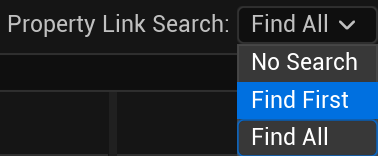
- No Search: won't search any property chain between dependent assets | instant results
- Find First: will give only the first property chain found between dependent assets | fast
- Find All: will give all property chains existing between dependent assets | slow but exhaustive
Multiple property chains
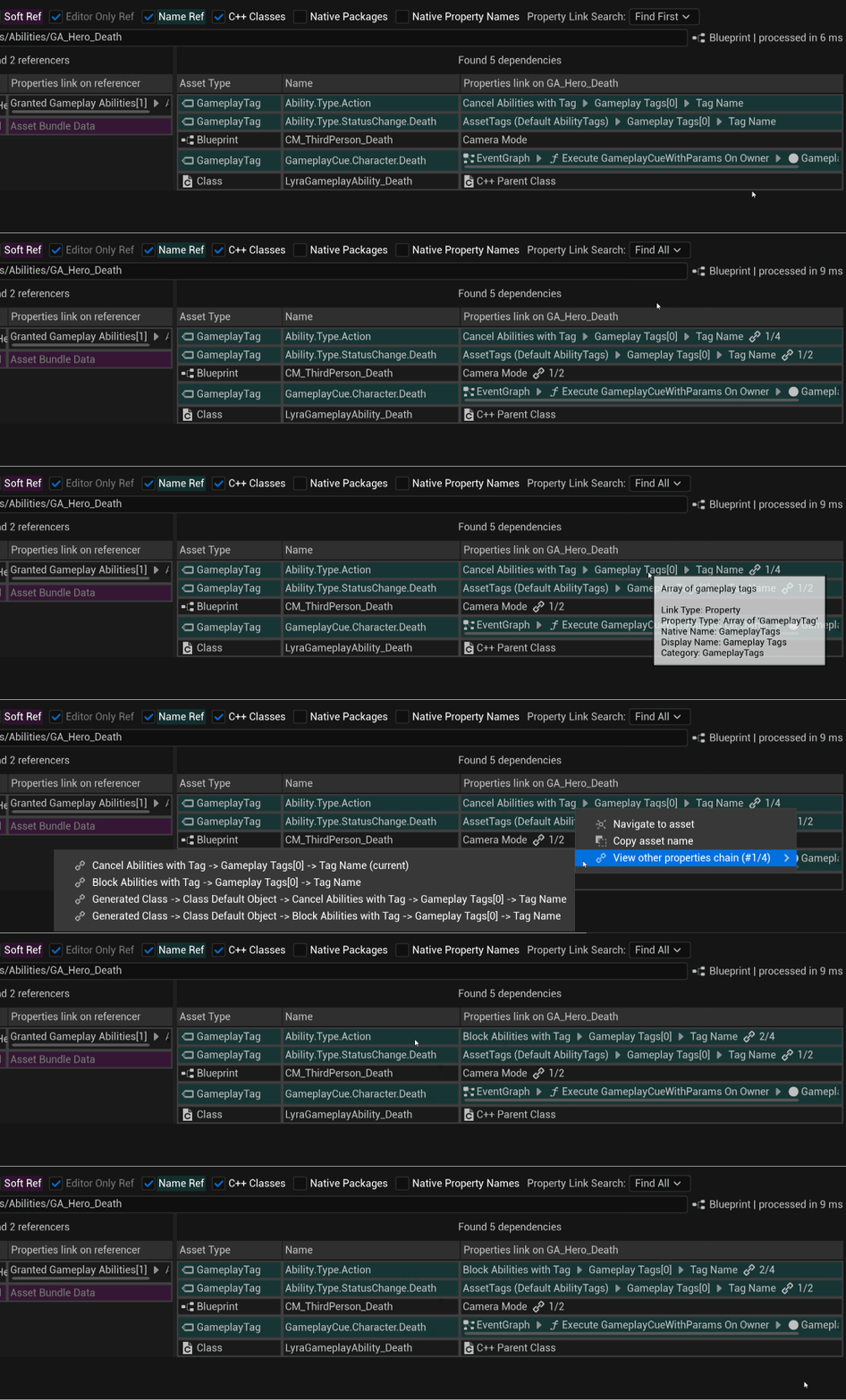
When choosing Find All search mode, a new info will appear next to the property chain result in case multiple chains linking the 2 assets.
It will show the amount of different property chains (here 4 different chains are linking GA_Hero_Death and Ability.Type.Action).
You can right click on the result, and choose the "View other Property Chains" action to select and view a different result.
Asset Path
See and type the path of any asset you want to look for its referencers and dependencies.

Results
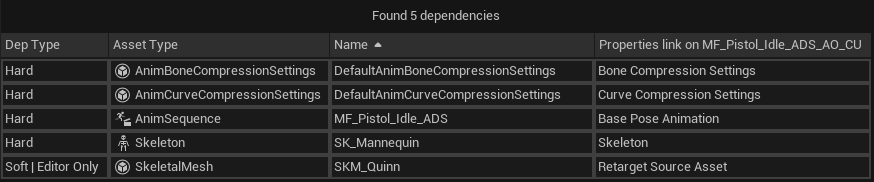
The results (for both the referencers and the dependencies) appear as a table with useful info for each column:
- Row Color:
- White: Regular Hard Reference
- Magenta: Soft Reference
- Cyan: Name Reference (GameplayTag)
- Grayed out: "Editor Only" Reference
- Yellow: Extra dependencies found via Deep Dependencies search
- Asset Type: type of the asset
- Name: name of the asset
- Property Chain: the property or chain of properties linking this asset (the referencer or the dependency) to the current asset
Result row context menu actions
Right click on any result row to show the context menu and choose which action to execute:
- Navigate to Asset: Navigate to the result asset with Better Reference Explorer to check its referencers and dependencies. Same things happens if you double click on the result row.
- Copy asset name: Copy value to clipboard.
- Jump to world instance: Try to select this world instance in the world outliner (only available to actor's instances).
- Browse to asset: Browse to the result asset and select it in the Content Browser.
- Edit asset: Open the result asset for edit.
-
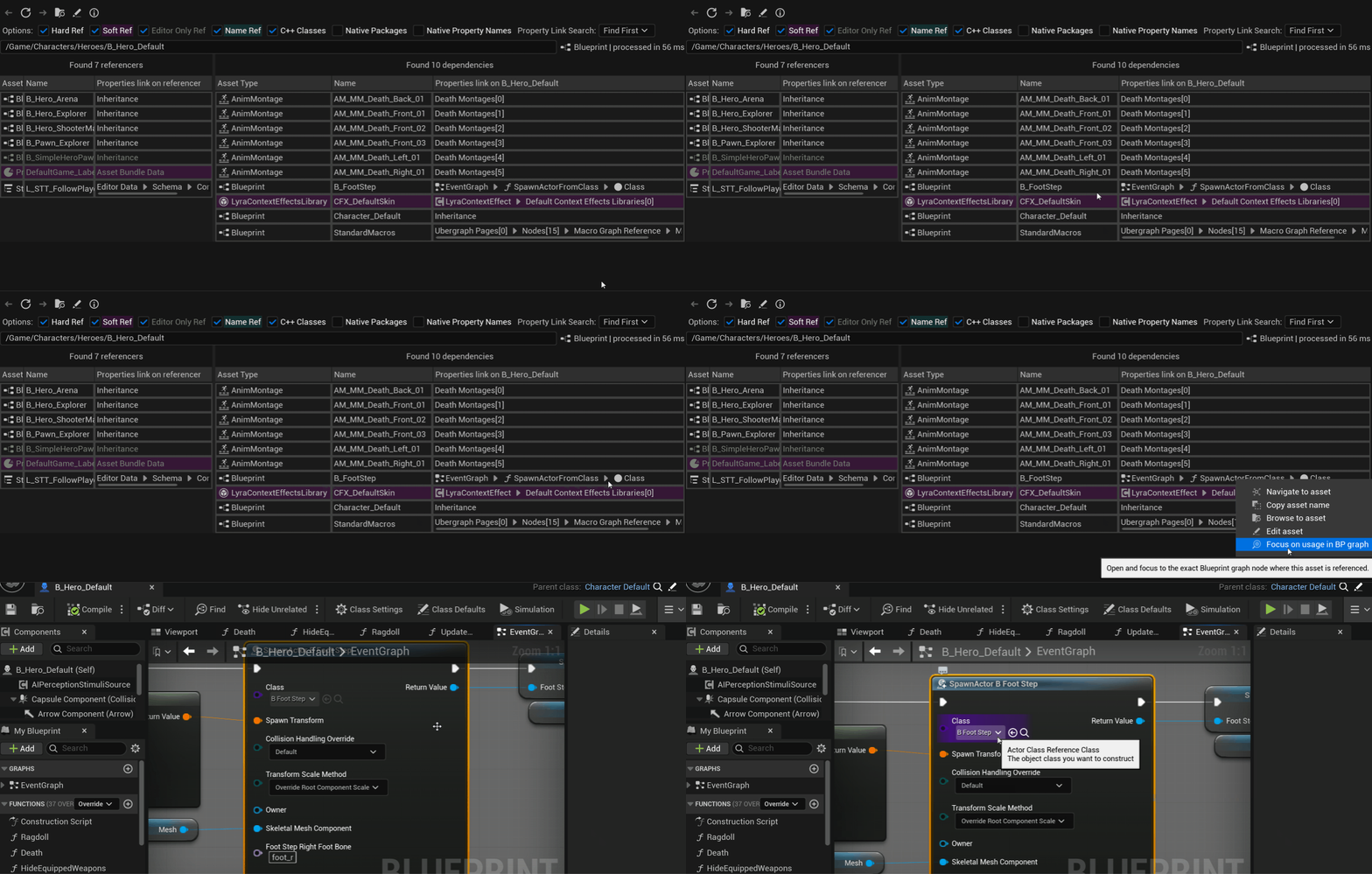
Focus on usage in graph: For links in any graph-based assets (Blueprints, Anim Blueprints, Behavior Trees, Materials and Niagara Assets), instantly open the Graph and jump to the exact location of the asset usage:
-
View other Property Chains: Choose which property chain to display in the 'Property Chain' column (only available when the 2 assets are linked via multiple property chains).
-
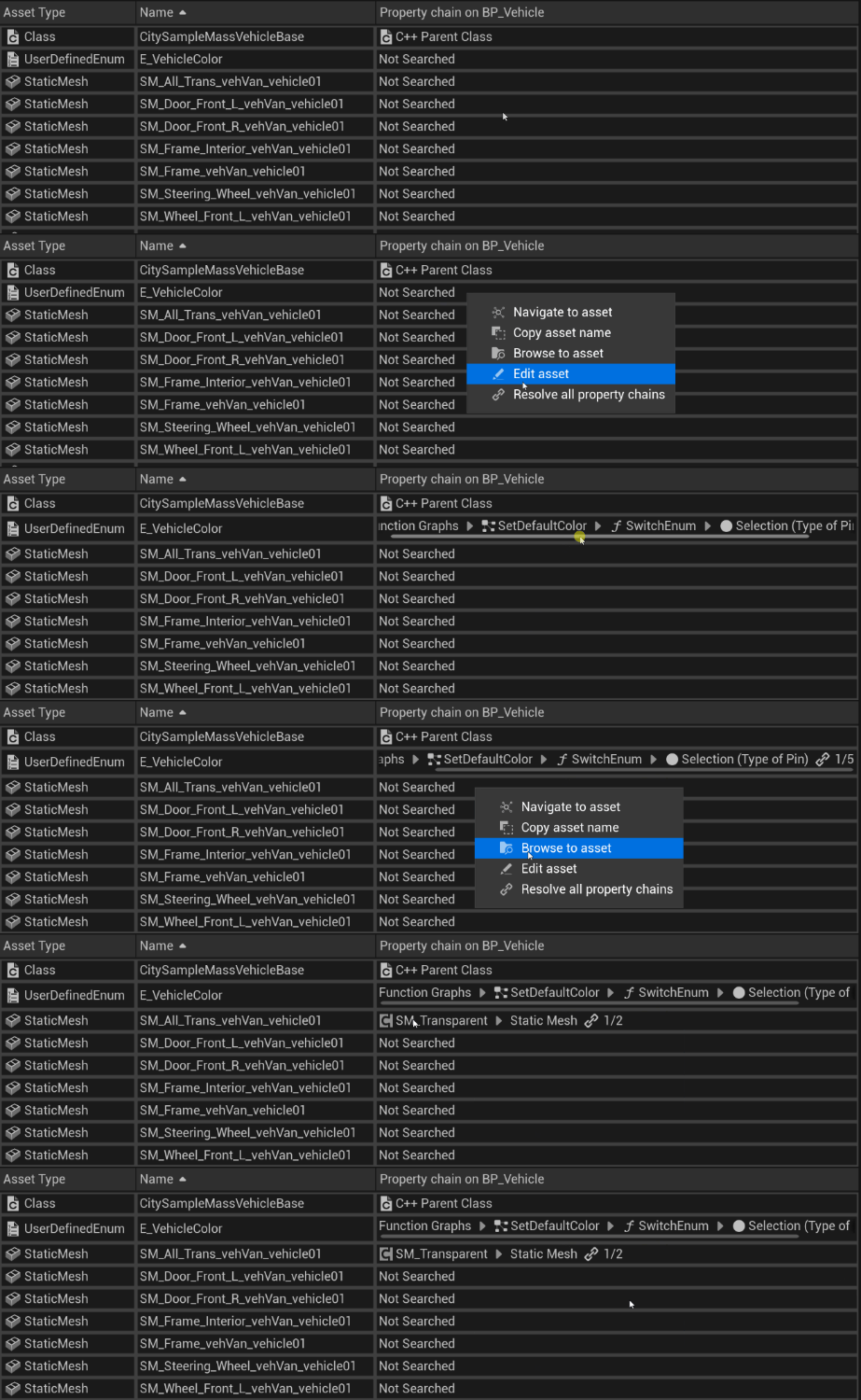
Resolve all property chains: Compute all property chains linking these 2 assets together.
Support
Need support, want to share your feedback?
Feel free to join us at createchunreal@gmail.com
Changelog
Version 1.1.6 (Jun 18, 2026)
- Improve support of State Trees
- Improve property link search in Data Tables
- Add support of InstancedStruct fields
- Add support of Unreal Engine 5.8
Version 1.1.5 (Jun 09, 2026)
- The "Focus on usage in graph" feature now supports Niagara and Material assets
- Add new Deep Dependencies option, to search additional dependencies for the selected asset that the built-in Reference Viewer does not report
Version 1.1.4 (May 13, 2026)
- Improve support of Anim Blueprints and Behavior Trees with "Focus on usage in graph" feature
- Prevent duplicate results when an asset has both hard and soft dependencies on another asset
Version 1.1.3 (Apr 23, 2026)
- More performance improvements
- Add "Resolve all property chains" action per dependency result
- Improve plugin's responsiveness when cancelling asset processing
- Add support of BP Macro Library
Version 1.1.2 (Apr 02, 2026)
- Major performance optimizations
- Add new "Focus on usage in BP graph" feature to instantly jump on asset usage in Blueprints
- Add new context menu actions on result assets
- UI improvements related to colored referencers and dependencies (soft ref, name ref and editor only ref)
- Improve multi properties chains results browsing using the context menu
- General results improvements
Version 1.1.1 (Feb 20, 2026)
- Fix C++ class search not working properly when the plugin window was not opened before
- Fix retrieval of category and tooltip info on container properties
- Improve visual and readability by removing the "Dependency Type" column, and changing the row color to feedback "soft" and "editor only" references
Version 1.1.0 (Jan 05, 2026)
- Add support of C++ class references
- Add support of PrimaryDataAssets
- Add support of SoftObjectPath and SoftObjectClass
- Improve search of property link from Blueprint local variables in containers
- Fix previous file navigation that could make you jump randomly in the file history
- Fix search of property link between a Blueprintable BP from the DataAsset class, and a DataAsset instance
- Fix search of property link between AnimNotify and AnimMontage
- Add a cancel button on the progression gauge
Version 1.0.1 (Nov 13, 2025)
- Fix property search of GameplayTags in Blueprint scripting nodes
- Fix property search from Blueprint local variables
Version 1.0.0 (Dec 11, 2024)
- Initial Release